 Car Repair Cost
Estimate Car Repair Costs From Photos
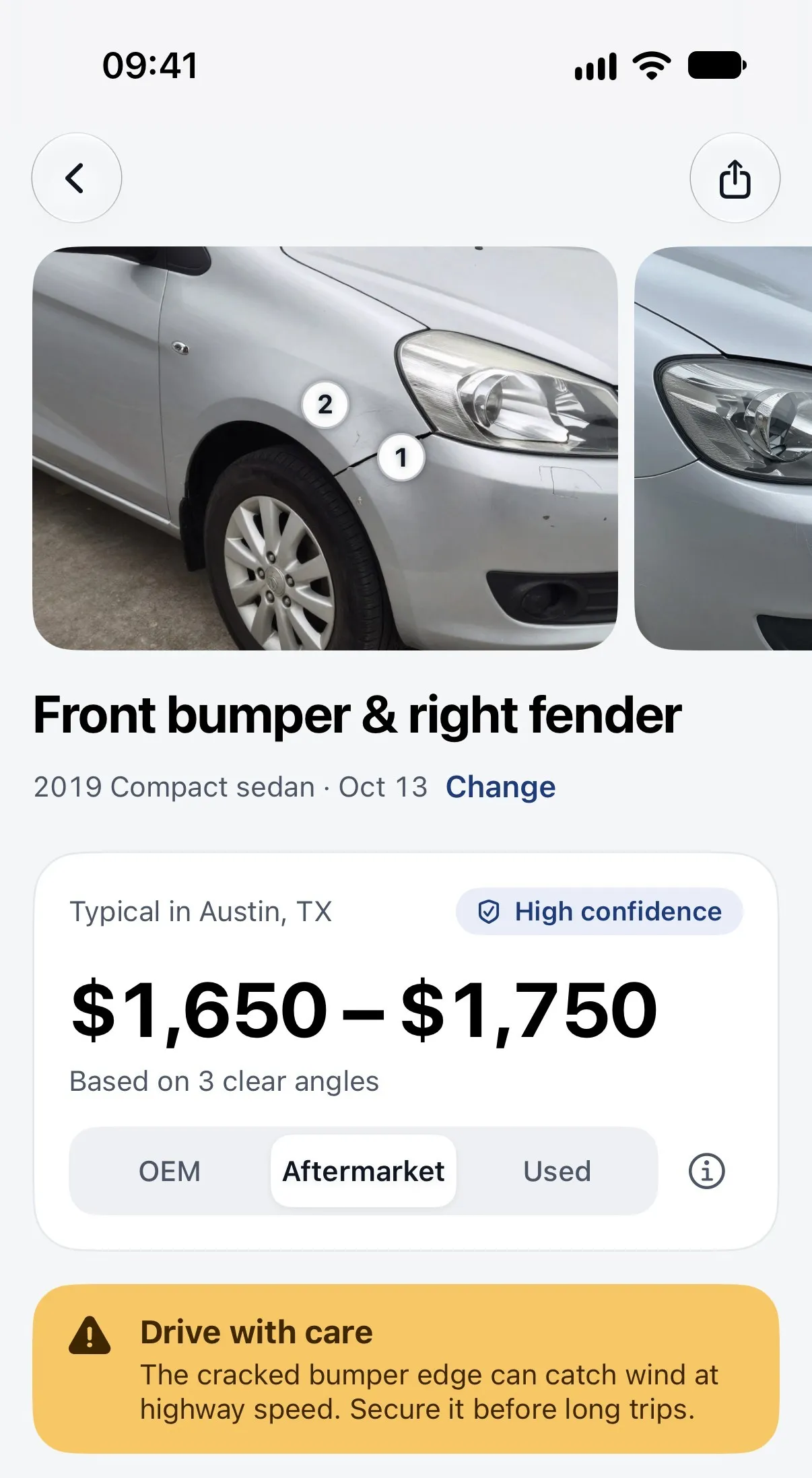
The Car Repair Cost app turns 1 to 6 photos of the damage into a line-by-line repair cost estimate, with a range for each part, labor and paint line, so you know what to expect before you visit a body shop.
- Photograph the damage
- Get a line-by-line estimate
- Check the shop quote
Get a photo-based estimate · Free to download

What the Car Repair Cost app does
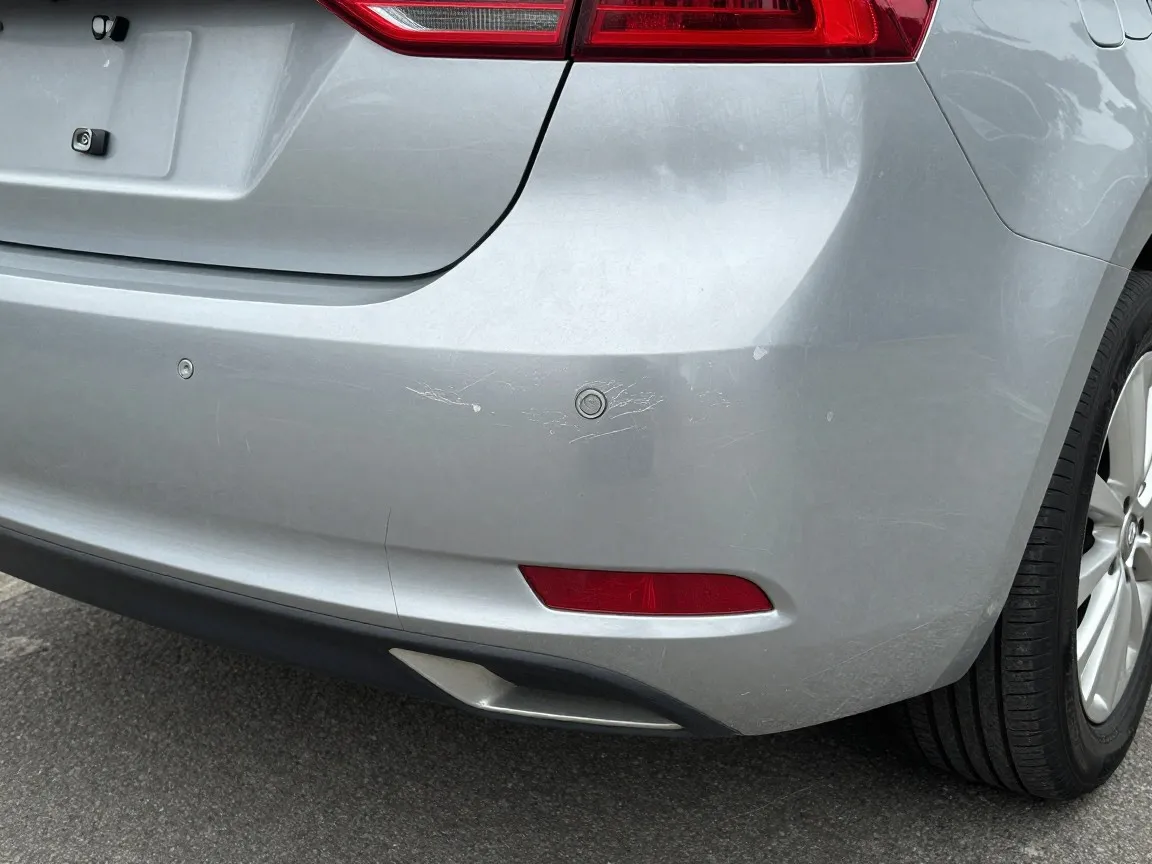
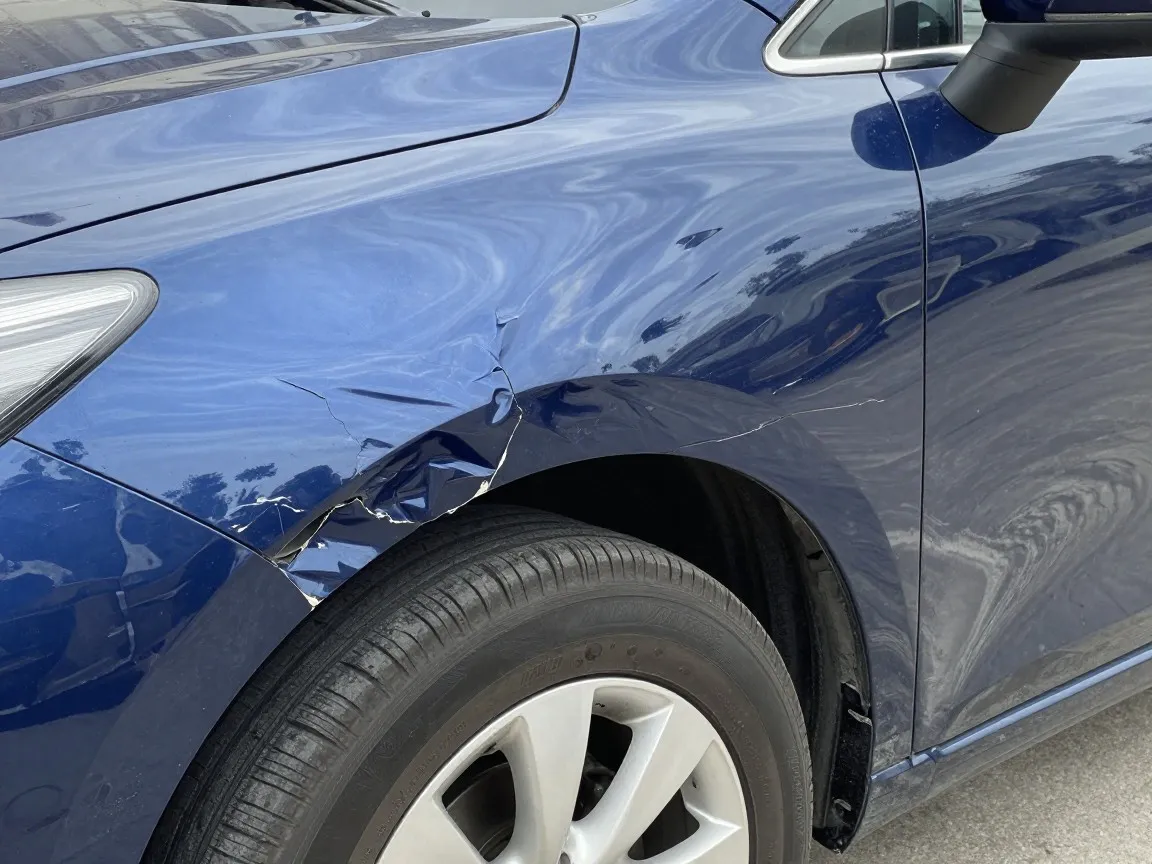
The Car Repair Cost app estimates dent, scratch, bumper and collision damage from 1 to 6 photos and prices each part, labor and paint line as a range for your area.
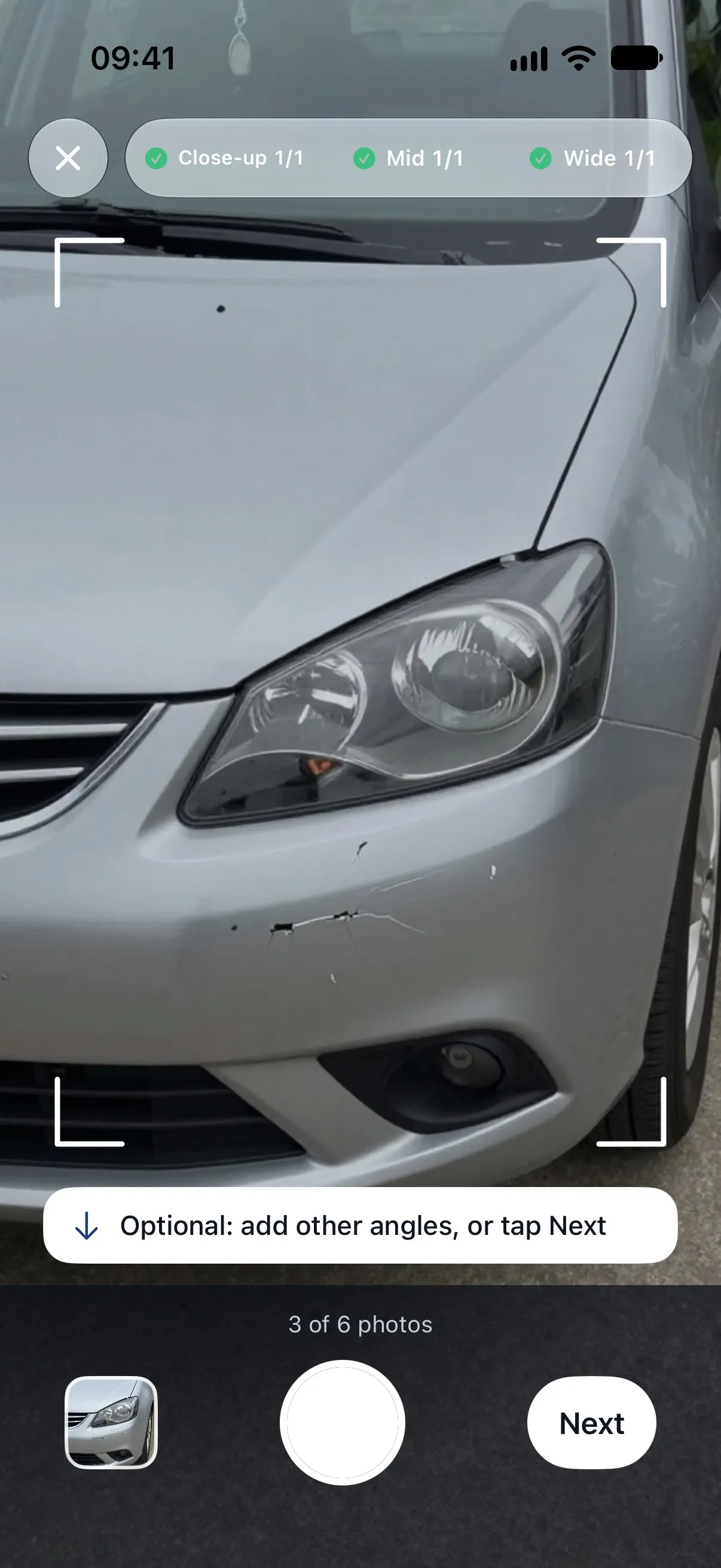
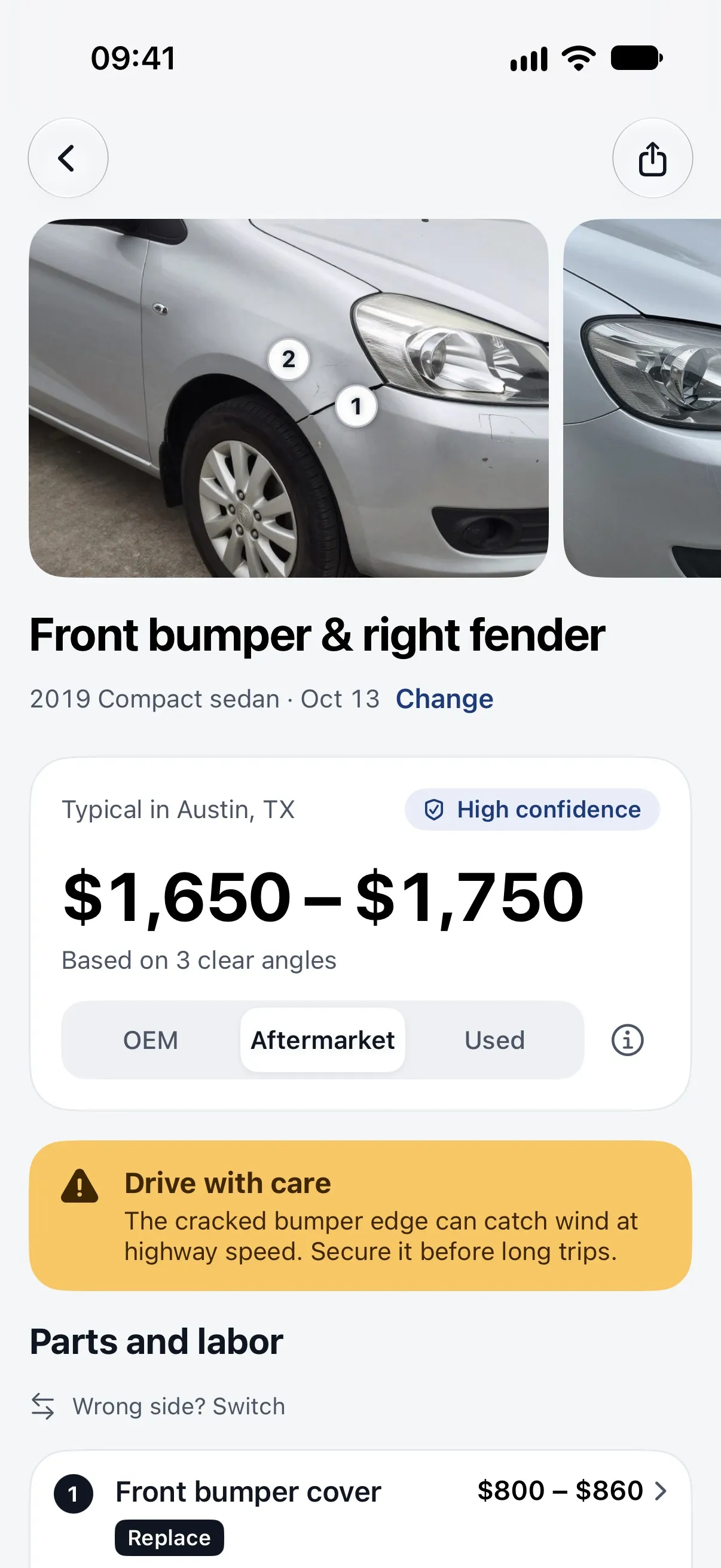
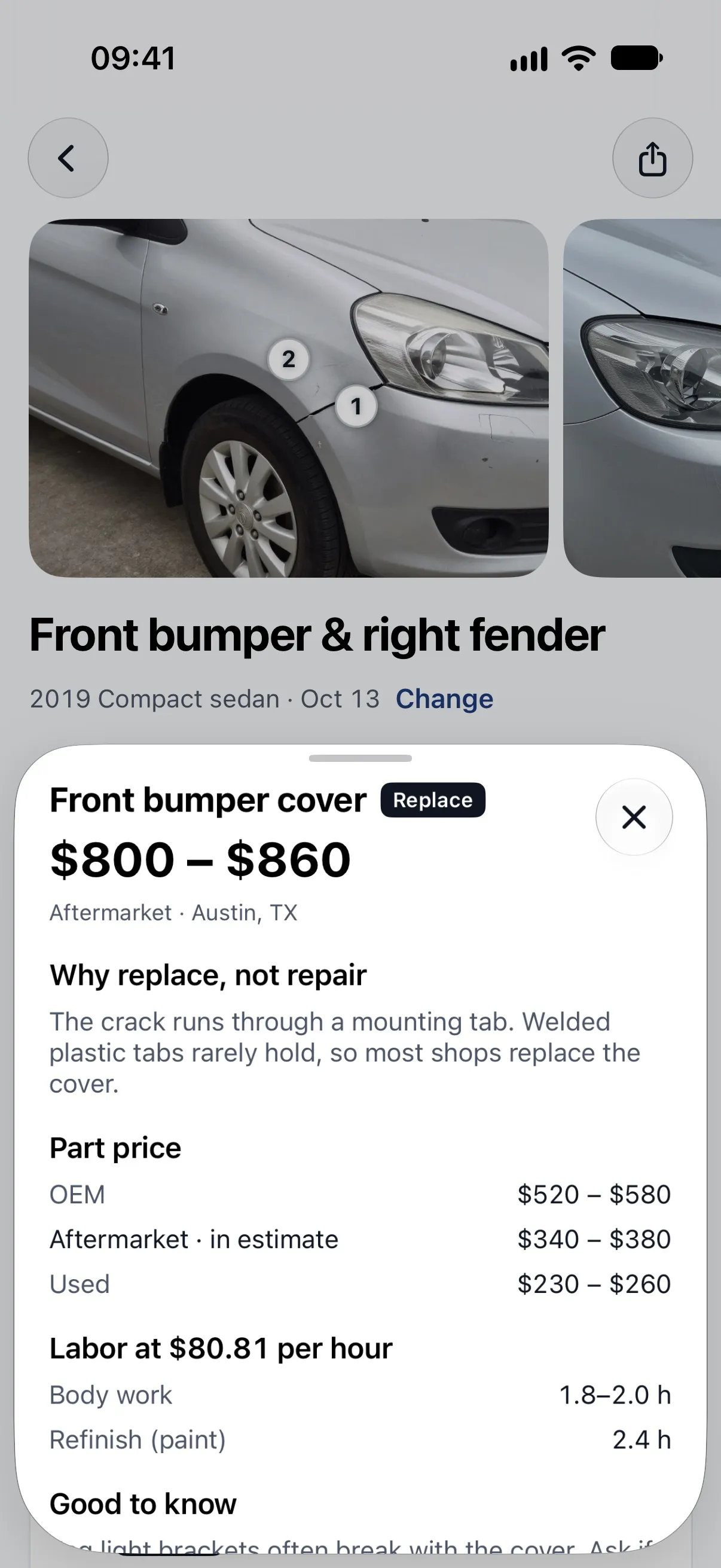
- Photo-based damage estimate: dents, scratches, bumper and collision damage, from 1 to 6 photos.
- Line-by-line cost range: parts, labor hours and paint, each with a range, plus a total and a confidence level.
- Repair or replace: a short reason for each part, and questions to ask the shop.
- OEM, aftermarket or used parts: switch the part type and the total updates.
- Quote check: scan a shop quote and see which lines look fair, high or worth asking about.
- Warning lights and noises: pick the symptoms, add a photo of the dashboard light, and see likely causes, a repair range and whether to drive with care or have it checked first.
- Share and find a shop: export the report as a PDF and see nearby body shops and mechanics on a map.
How the app turns photos into an estimate
The app needs 1 to 6 photos and your vehicle to build an estimate, and the same app checks the body shop quote you get afterward, in three steps.
Photograph the damage
Take 1 to 6 photos (close-up, mid and wide) in the app, or pick them from your library, and confirm your vehicle by year, make and model or by VIN.
Get a line-by-line estimate
An AI model identifies the damaged parts. The app prices parts, labor hours and paint from regional reference tables and shows a range for each line and for the total, in your currency, with a repair-or-replace reason for each part.
Check the shop quote
Scan or photograph your body shop's quote. The text is read on your phone and each line is marked fair, high or worth asking about.
How the app's estimate differs from this website's cost guides
The website's cost guides publish sourced ranges from 834 source URLs that are the same for everyone, while the app prices the specific parts it finds in your 1 to 6 photos for your car and your area. Both are made by the same team.
| Website cost guides | Car Repair Cost app | |
|---|---|---|
| What you give it | Nothing: the guides are the same for every visitor | 1 to 6 photos plus your vehicle (year, make and model, or VIN) |
| Where prices come from | Published, sourced ranges from 834 source URLs, refreshed monthly | Regional reference tables: labor rates for your area, part prices and refinish rules |
| What you get | A typical range per repair scenario, with its source | A range for each part, labor and paint line, plus a total |
| Quote check | Three numbers: labor rate, paint and materials, blend | Every line of a scanned shop quote, marked fair, high or worth asking about |
| Cost | No sign-up | Free to download; estimates need a paid weekly or yearly plan |
Why get an estimate before you go to the body shop
CCC's average repairable collision claim was $4,768 in 2025, so a repair bill is worth understanding before you approve it. A photo estimate helps in three ways.
How accurate is a photo-based repair estimate?
A photo-based estimate from the app is a range for planning, not an inspection or a shop quote: it sees only what is in your 1 to 6 photos, so brackets, sensors and reinforcements behind a panel can be damaged without showing, and the final price depends on the shop, your area and the parts used. Prices are always shown as ranges. For safety-critical damage the app tells you to have the car inspected before driving.
Want typical prices without the app? See bumper repair cost and dent repair cost, and how the app's estimate differs from the website's guides.
Get a photo-based estimate · Free to download
Made by Obzena LLC. Free to download; estimates need a paid plan in the app.
Questions
How does the app make an estimate?
An AI model reads your photos to name the damaged parts and judge whether each looks repairable or needs replacing. The app then prices every line from reference tables for your area: labor rates, part prices and refinish rules. You can switch between dealer (OEM), aftermarket and used parts to see the total change.
Which countries and currencies does it support?
The app uses your phone's region settings for the country and currency, and shows prices in that currency. In the U.S., Canada and Australia it also asks for your state or province, because labor rates differ by region. Location access is optional.
What does it cost?
The app is free to download. Damage estimates, warning-light checks and quote checks need a paid weekly or yearly plan, bought inside the app; the price is shown before you buy and you can restore a purchase on another device. There is no trial.
Is the estimate a quote?
No. It is a range for planning, not an inspection or a shop quote. A photo can't show damage hidden behind a panel, so the final price can be different. For brakes, steering, airbags, structural damage or fluid leaks, the app tells you to have a professional inspect the car before driving.
Do I need an account?
No. There is no sign-up or login, and you can delete your data in Settings at any time.
Does it use the same numbers as this website?
Both are made by the same team, but they work differently. The website shows published, sourced ranges for common repairs and is the same for everyone. The app prices the specific parts it finds in your photos for your car and your area.
Related repair guides
Price ranges built from 834 public sources and refreshed monthly. Your final price comes from the shop's written quote after inspection.