 Car Repair Cost
Car Repair Cost Support
We usually reply within 1–2 business days.
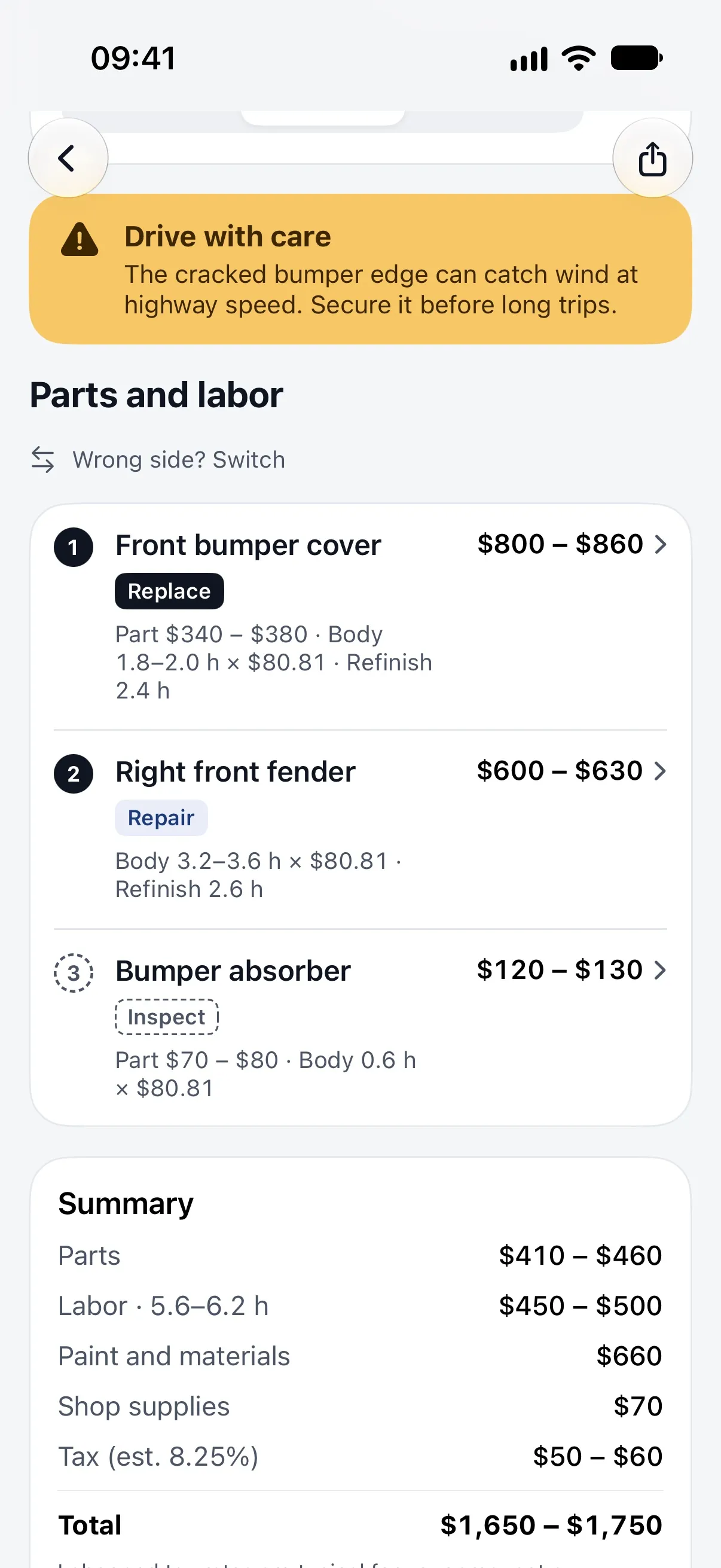
Questions, an estimate that looks off, or trouble with your subscription? Write to us and include your iPhone model, iOS version and, if it is about an estimate, a screenshot.
You can also use the support link in the app's Settings.
Frequently asked questions
How do estimates work?
Take a photo of the damage, the dashboard warning light or a repair quote, and add your vehicle and city or ZIP/postal code if you like. Our AI looks at the photo and your details, identifies the likely repairs, parts and labor, and gives you an approximate price range for your area. Adding your vehicle's make, model, year and mileage makes the range more relevant.
How accurate are the estimates?
Estimates are AI-generated approximations for planning, not a professional inspection or quote. A photo cannot show hidden damage, and real prices depend on the shop, parts and what a technician finds in person. Use the range to know what to expect and to compare quotes, and always have a licensed mechanic inspect your vehicle. See our Terms of Use.
How do I get the best result?
Park safely with the engine off. Use good light, avoid glare and reflections, and take one wide shot plus a close-up of the damage. For a warning light, photograph the whole dashboard while the light is on. Never use the app while driving.
Why does the app ask for my location?
Labor rates differ a lot by area. Location is optional and only used at city or ZIP/postal-code level. You can type it yourself, change it in Settings, or skip it.
How do I restore my subscription on a new iPhone?
Sign in with the same Apple Account, open Car Repair Cost and tap Restore Purchases on the subscription screen or in Settings.
How do I cancel my subscription?
Open Settings → [your name] → Subscriptions → Car Repair Cost on your iPhone and tap Cancel Subscription. Cancel at least 24 hours before the end of the period to avoid the next renewal. Deleting the app does not cancel a subscription.
How do I get a refund?
Purchases are processed by Apple, so refunds are requested from Apple at reportaproblem.apple.com. We cannot issue App Store refunds ourselves.
How do I delete my data?
You can delete single reports and vehicles in the app. To delete everything at once, open Settings → Delete account and data in the app: your reports, vehicles, server backup and anonymous account are deleted right away. If you can no longer open the app, email hello@obzena.com with the subject “Car Repair Cost data deletion”, and we will delete everything we hold within 30 days. More in our Privacy Policy.
Do you keep my photos?
No. Photos are used only to produce your estimate and are not stored on our servers afterwards. A small thumbnail is kept with your report.
App Support · App Privacy Policy · App Terms of Use · Apple Standard EULA